
Turn any page into something your clients can edit — without touching code
Build the site as fast, static PHP views first. Whenever a client wants to make their own edits, add TrueCMS — it recognizes every page you already built and gives them a visual editor, revision history, and one-click restores. Nothing to migrate, nothing to rebuild.
"Start with a fast static site built by hand or AI. The day a client wants to edit their own homepage, flip on TrueCMS — every page you already built just becomes editable. No content migration, no separate database, no rebuild."
Zero-migration setup
Any page built with True Framework's standard view format is automatically discovered and editable the moment TrueCMS is installed — no content import, no conversion step.
Visual editing, no code
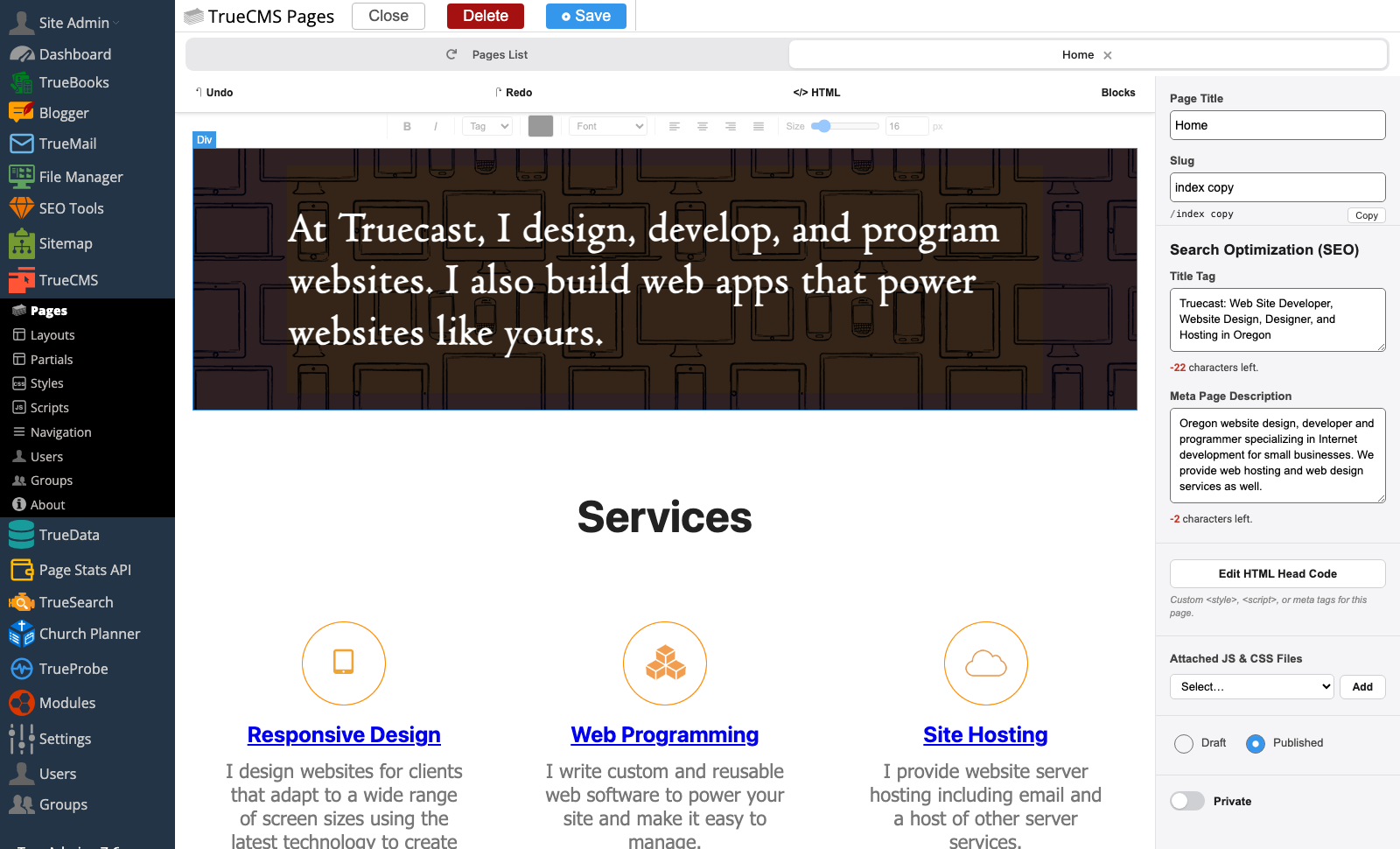
A drag-and-drop visual editor lets clients edit text, images, and layout blocks directly on the rendered page.
Automatic revision history
Every save is backed up automatically — up to 50 versions kept per page, layout, partial, stylesheet, and script.
One-click restore
Preview any past version of a file, then restore it instantly if an edit breaks the formatting or deletes something important.
Built for developers too
Layouts, partials, CSS, and JS open in a raw, syntax-highlighted code editor — full control when you need it.
SEO on every page
Title tags, meta descriptions, and custom head code are editable per page — no developer required for on-page SEO changes.
Start static by hand or AI. Add TrueCMS whenever you're ready.
Every page in a True Framework site already follows a simple convention — a small meta header with the title, description, and settings, followed by the page's HTML. You can build a client's entire site this way from day one: fast static PHP views with no database overhead and nothing for TrueCMS to get in the way of.
When the client is ready to start making their own edits, install TrueCMS. It scans your existing view files and lists every page it finds — the homepage, contact form, service pages, whatever you already built — ready to edit immediately.
- Recognizes any existing True Framework view automatically
- No separate "pages" database table or content import
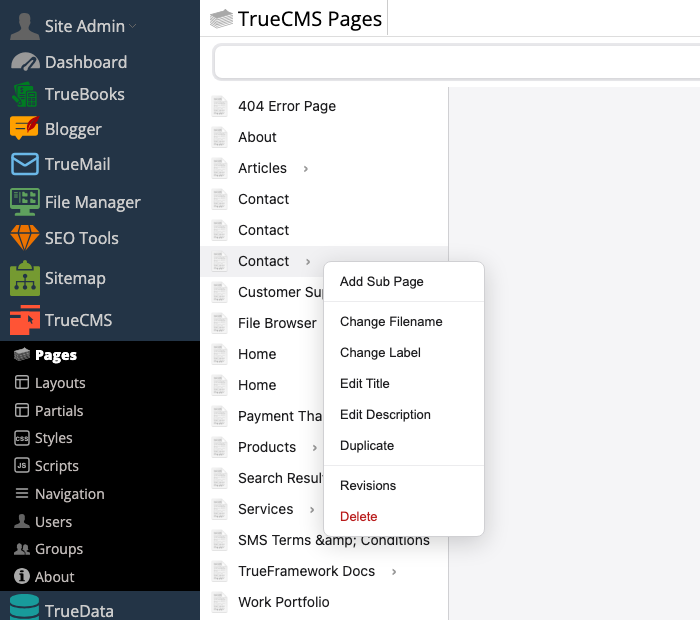
- Organize pages into a tree — add sub-pages, rename, or duplicate
- Right-click a page to change its filename, label, title, or description
A visual editor your clients can actually use
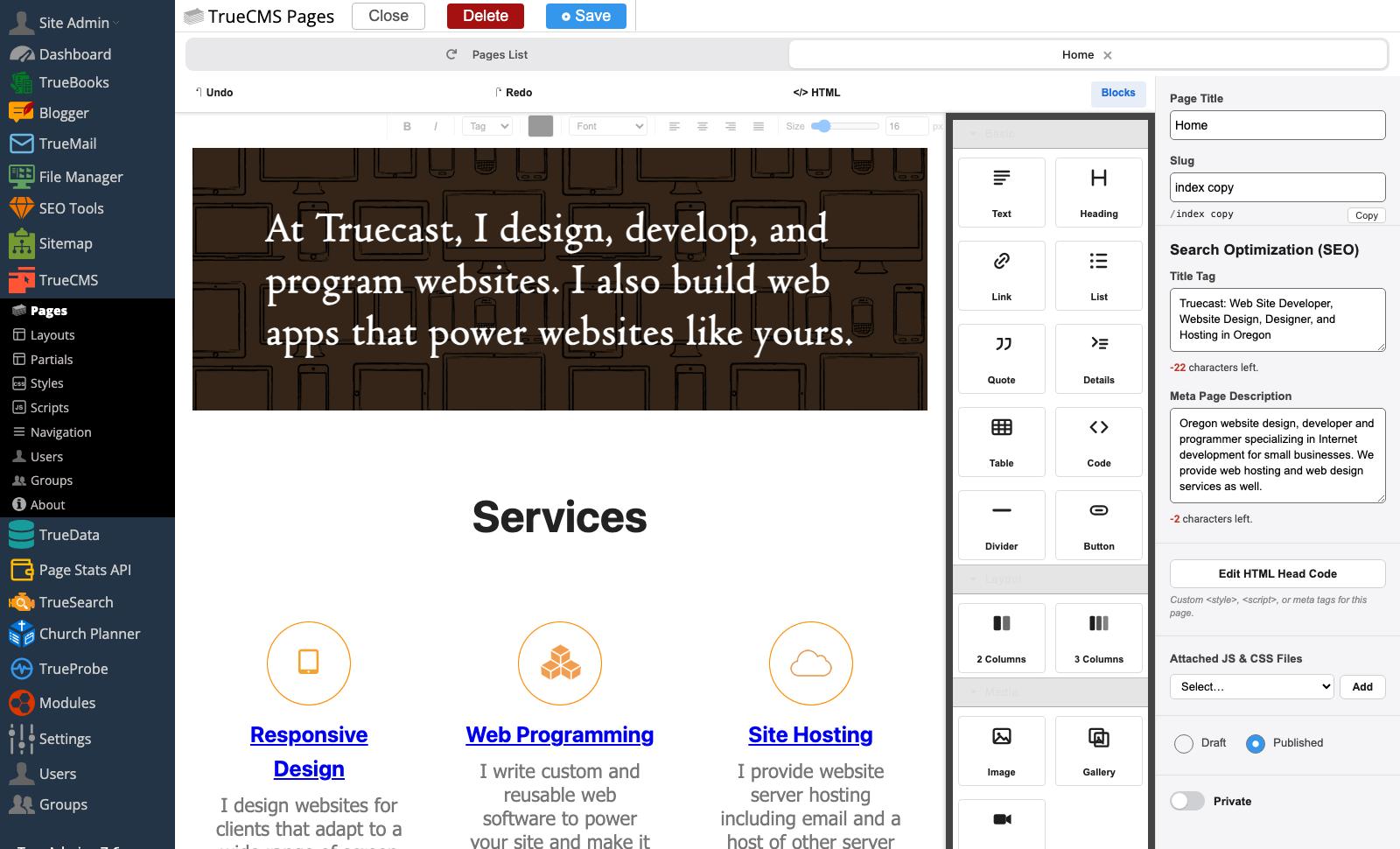
Pages open in a drag-and-drop visual editor built on the open-source GrapesJS engine, so clients edit the page the way it actually looks — not a form full of text boxes. Every page also gets its own SEO title tag, meta description, and custom head code, editable without a developer.
- Drag-and-drop block editing on the rendered page
- Per-page Draft, Published, and Private states
- Attach page-specific JS and CSS files from a dropdown
- Right-click page management: rename, duplicate, change label or title
- Raw code mode available per page when you need exact HTML control
Automatic backups your clients can't break
This is the safety net every client site needs: every time a page, layout, partial, CSS file, or script is saved, TrueCMS quietly stores a copy. Up to 50 revisions are kept per file, so if a client messes up the formatting, deletes a section they wanted back, or just wants to compare two versions, the history is already there.
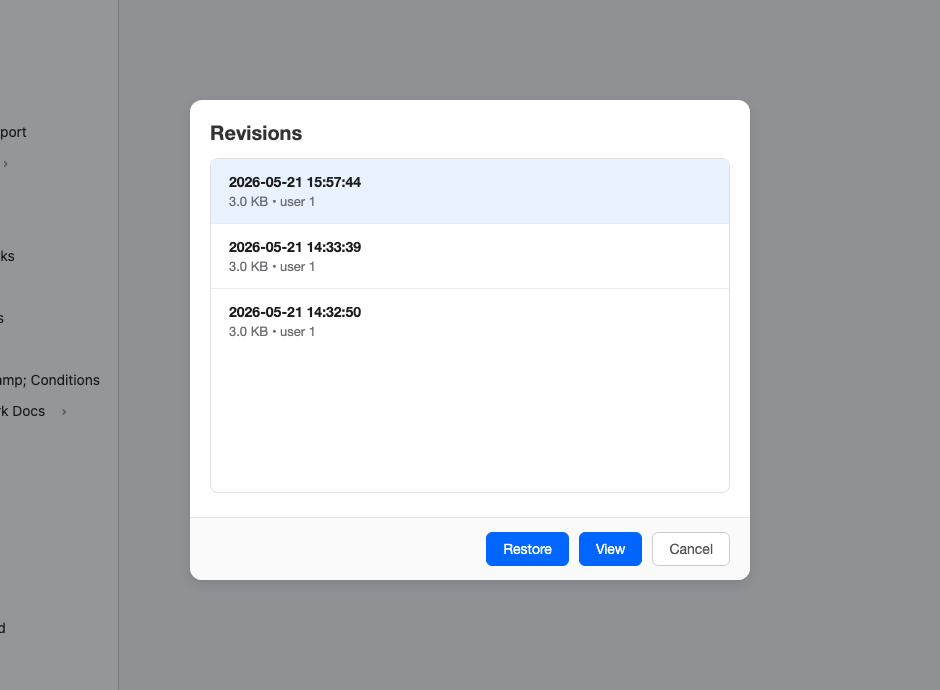
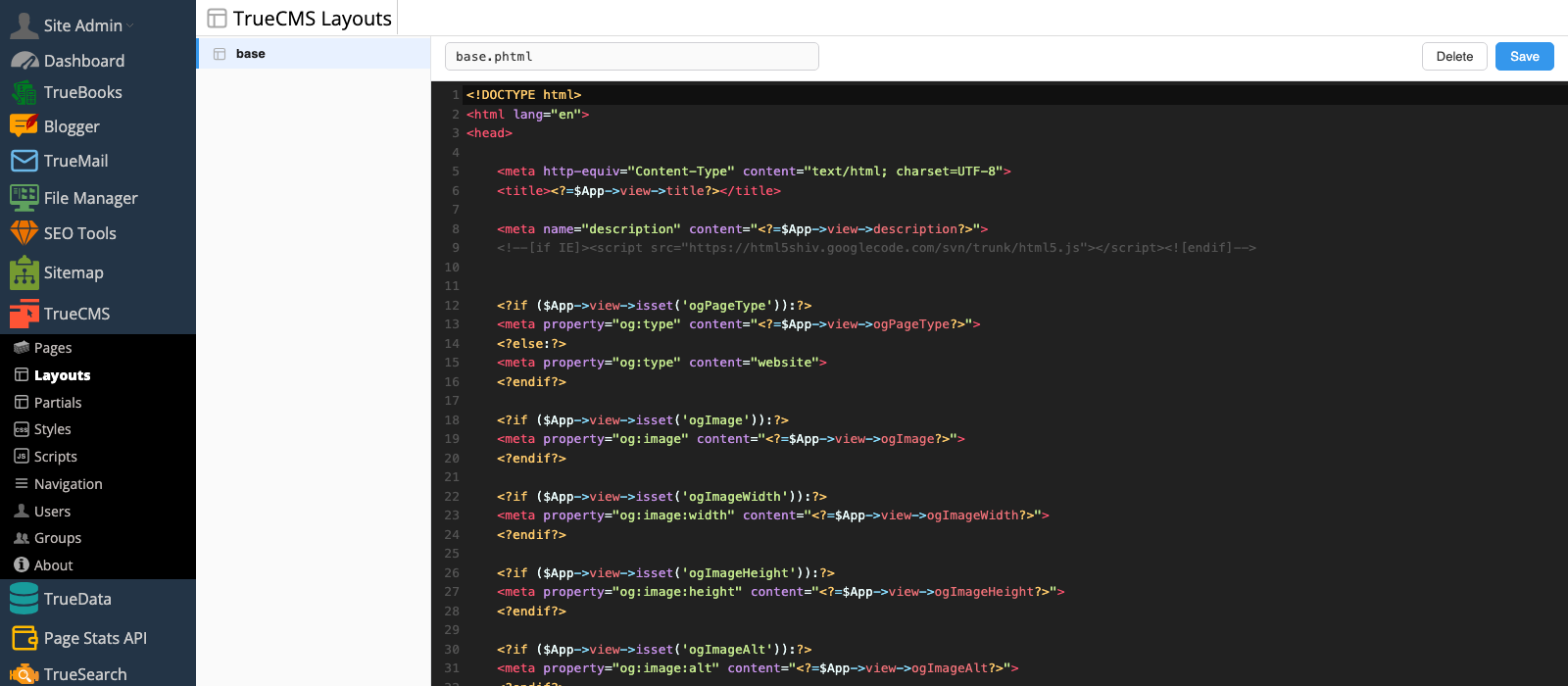
Right-click any page and choose Revisions to see a timestamped list of every saved version. Preview a version rendered exactly as it will appear on the site, then restore it in one click.
- Up to 50 revisions kept automatically per file
- Only saves a new revision when the content actually changed
- Full-page preview before restoring — see it before you commit
- Covers pages, layouts, partials, CSS, and JS — not just page content
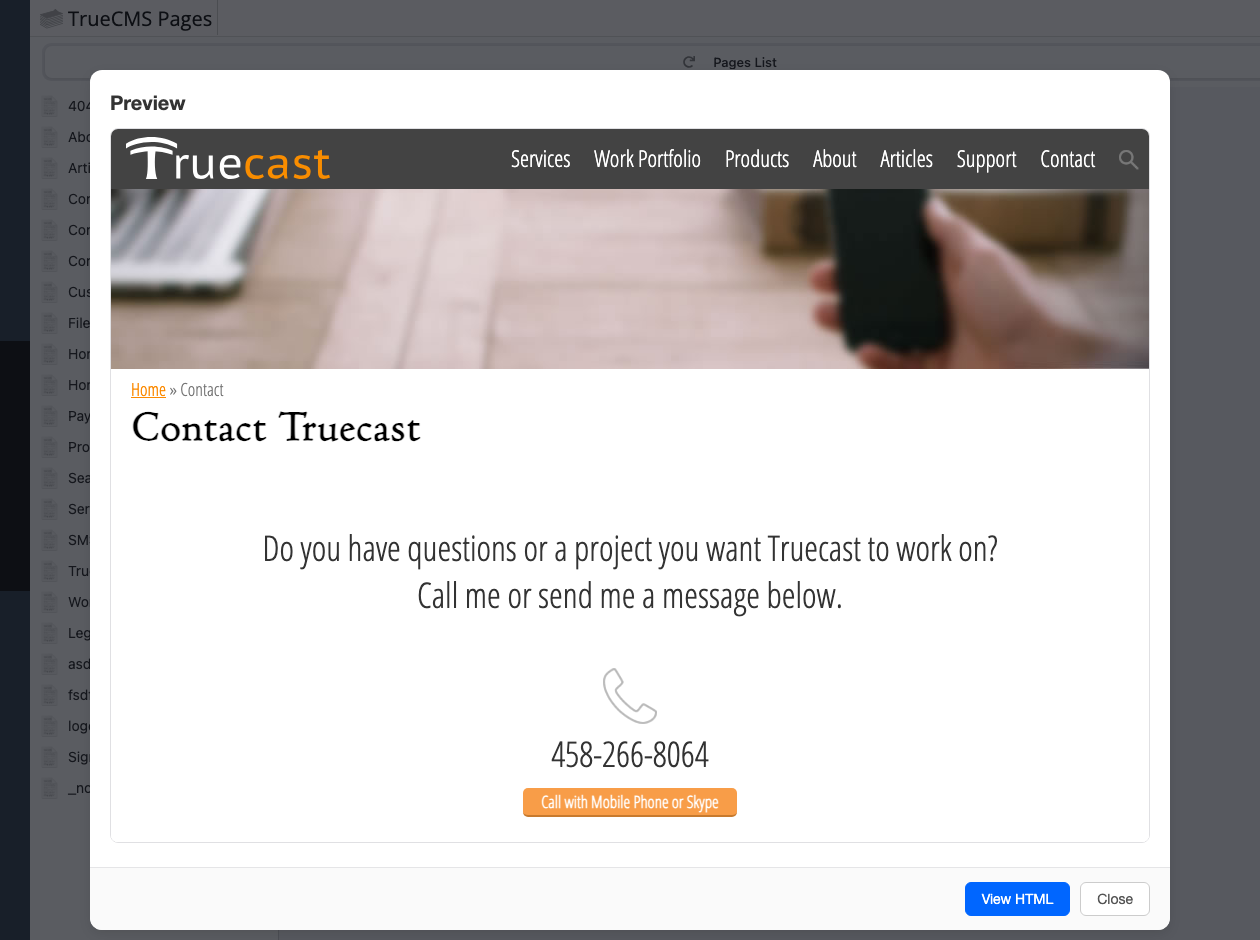
Full code control when you need it
Not everything should be a drag-and-drop block. Layouts, partials, stylesheets, and scripts open in a raw, syntax-highlighted code editor — the same PHP, CSS, and JS you'd edit in your own editor, just accessible from the admin without shell access.
- Syntax-highlighted code editor for layouts, partials, CSS, and JS
- Manage site-wide navigation menus from the same module
- Revisions apply here too — every code save is backed up automatically
- Keeps developer-owned structure separate from client-owned page content
Client edits that your next deploy can't overwrite
The classic CMS-on-a-deployed-site problem: the client fixes a typo on the live server, you push from your machine a week later, and the fix is gone. TrueCMS closes that gap. Every save it makes — page content, a rename or move, a layout or stylesheet edit, an image upload — is committed to the site's git repository on the server, authored by the admin user who made it.
Because those commits land on the branch you deploy, the next git push from your machine is rejected until you pull. You merge the client's work into yours and deploy, and nothing is lost. It works with the plain bare-repo-plus-post-receive-hook deploy most PHP hosts already use — no CI service, no extra tooling.
- Every CMS save is a real git commit with a descriptive message and the editor's name
- Pushes that would overwrite client edits are rejected by git itself
- Zero configuration — it finds the site's bare repository automatically
- A failed commit never blocks a save; the editor tells you and logs the reason
$ git push web master
 ! [rejected]        master -> master (fetch first)
hint: Updates were rejected because the remote contains
hint: work that you do not have locally.

$ git pull web
Merge made by the 'ort' strategy.
 app/views/about.phtml | 4 +++-

$ git log -1 web/master --format='%an: %s'
Jane Client: TrueCMS: save page /about

$ git push web master
To truecast.ddev.site:site.git — deployed.
Everything you need to hand a site off to a client
TrueCMS is a module for TrueAdmin — install it once and every True Framework page becomes client-editable.
🖱 Visual Page Editor
Drag-and-drop editing on the rendered page, built on the open-source GrapesJS engine.
🗄 Revision History
Up to 50 automatic backups per file, with full-page preview and one-click restore.
🚀 Zero-Migration Setup
Discovers your existing True Framework pages automatically — nothing to convert or import.
🧰 Layouts & Partials
Manage shared page structure and reusable includes from a dedicated raw code editor.
📄 Raw Code Editor
Syntax-highlighted editing for layouts, CSS, and JS when you need exact control.
☰ Navigation Menus
Build and manage site navigation menus without editing template code.
🔍 Per-Page SEO
Title tags, meta descriptions, and custom head code editable on every page.
👁 Draft, Published & Private
Stage changes before they go live, and gate individual pages behind a front-end login.
🔒 Own Access Control
Runs on TrueAdmin's own login and permissions for who can edit — separate from any front-end visitor accounts.
Why developers choose TrueCMS over a traditional CMS
TrueCMS
- Build static first, add editing later — no rebuild
- Your pages are plain PHP views, not database rows
- Automatic, self-pruning revision history built in
- One admin for the CMS and the rest of the business software
- No plugin ecosystem to patch and secure
- Raw code access whenever you need it
- Client edits are git commits — a deploy can't overwrite them
WordPress
- Content locked in a database from day one
- Revisions bloat the database and rarely get pruned
- Separate login and admin from your other business tools
- Page builders depend on heavy, frequently-updated plugins
- Constant plugin and core security patching
- Editing raw markup usually means fighting the builder
- Content lives only in the database — no version control, easy to clobber
Built for the way agencies actually ship sites
TrueCMS fits the workflow most developers already use: build fast, hand off when the client needs it.
Web Agencies
Ship a static site fast, then flip on editing only for clients who ask for it.
Freelance Developers
Hand off a site your client can actually maintain, without babysitting every text change.
Small Businesses
Update your own homepage and pages without calling a developer for every typo.
Nonprofits & Churches
Let staff and volunteers update pages safely, with backups if something goes wrong.
Existing TrueAdmin Users
Add client-editable pages to a site you've already built on TrueAdmin — same login, same admin.
Design/Build Teams
Keep layouts and code under developer control while clients edit their own page content.
Simple, predictable pricing
One price. Full module. No subscriptions, no per-page fees.
TrueCMS Module
One-time add-on for TrueAdmin
- Visual drag-and-drop page editor
- Automatic revision history & restore
- Works with your existing pages — no migration
- Layouts, partials, CSS & JS code editor
- Git commit of every edit — deploy-safe
- Navigation menu management
- Per-page SEO fields
- Draft, Published & Private page states
- Installation and initial setup included
TrueCMS is a module for TrueAdmin — a TrueAdmin installation is required to run it.
Frequently asked questions
git push from your machine is rejected until you git pull and merge the client's changes. It works with a standard bare repository and post-receive checkout hook, needs no configuration, and a commit that can't be made (for example, a permissions problem) never blocks the save — you're told, and the reason is logged.Stop rebuilding sites just to make them editable
Build fast and static from day one. When a client wants to edit their own pages, TrueCMS is already waiting for them — nothing to migrate, nothing to rebuild.
We can help you plan the switch from static pages to client-editable ones on your next project.