
Custom Website Design
We provide custom website design services so your site can have a look that truly reflects your business or organization. Our designs use a clear, clean approach that helps you communicate your message more effectively.
With training in visual design, typography, interface design, usability, and more, we focus on more than just making your website look good. We build designs that are attractive, easy to use, and simple for visitors to navigate, helping them find the information they need quickly.
An intuitive, well-designed website can make the difference between gaining a new customer and having them leave your site. Truecast has over 12 years of experience building websites for small businesses, organizations, and ecommerce stores.
We will work with you through the process to make sure your site is built the right way. We will design what you want while also offering helpful guidance, so your website can clearly communicate your message and more effectively reach your target market.
How We Work
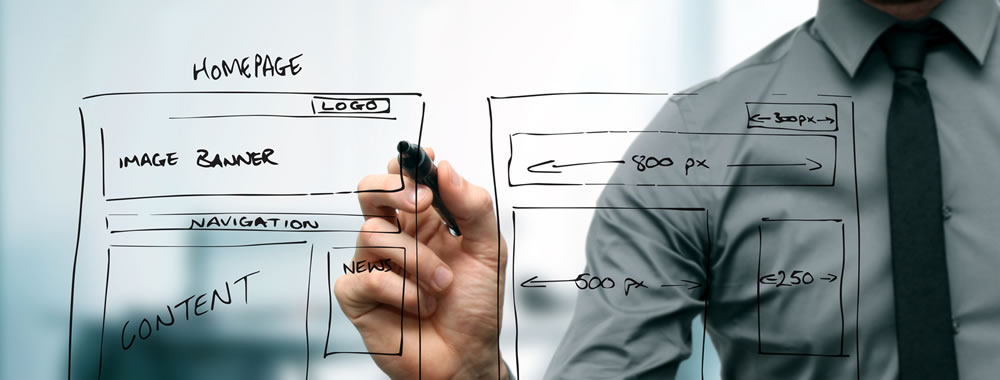
The design process starts by asking you a series of questions about who your site is for and what colors and character you, your business, or organization has or you want it to have. Then I give you a long list of well designed websites to help you decide what design elements and styles you would like your site to have.
After that, we will work on a first design idea for your site. After feedback from you, we can either refine that design or work on a couple more very different designs that will suit your needs. We will keep working on and refining the design until we have a finished layout of how your site will look when completed.
Once the design phase is finished, we will work on the building of the site using markup, styles, and code to convert the graphical design into a functioning website.
Examples of Work
We have quite a few examples of design work we have done for our other clients if you would like to see the quality of work that Truecast does. See our Work Portfolio.
Technology and Trends
Mobile First
With more than half of internet traffic now coming from mobile devices, we believe it is important to design websites with a mobile-first mindset. This means creating websites that are just as easy to use on a phone or tablet as they are on a desktop computer.
With today’s browser technology, websites can be built to adapt to the device a person is using. During the design stage, mobile-first development means planning the mobile experience first, then expanding the design for desktop browsers.
In the past, many websites were designed mainly for desktop users, with mobile design added later as an afterthought. Today, people use their phones for shopping, research, social networking, and everyday browsing. Websites that are easy to use on a phone are more likely to keep visitors engaged.
Mobile-friendly design also matters for search visibility. Google uses mobile-friendliness as part of how it ranks pages in search results, making a strong mobile experience even more important.
A mobile-first approach requires thoughtful planning, user experience design, and development that puts small-screen users at the center of the process. As online habits continue to change, businesses need websites that are ready to serve visitors wherever they are.
Three Line Menu Icon
There’s no doubt that it’s widespread use makes the function easily recognizable for users. It is a design trend that should be made use of wherever needed.
Long scroll
Placing all your important page elements above the fold, which is a moving target, is now a well-known myth. Almost everyone is accustomed to long scrolling page thanks in part to mobile devices. The design layout works especially well for sites that want to lead users down a certain path.
Card Layouts
Pinterest was one of the first to use this design layout. Cards are used all over the place on the web because they present information in small chunks great for scanning. Each card represents one unified concept or idea. The rectangles are content containers that can easily be re-arrange for different device sizes.
Hero Images
Because websites are mainly a visual experience, large hero images are one of the quickest ways to grab a visitor’s attention. Because of advances in bandwidth and data compression, visitors won’t suffer from slow load times most of the time. A hero image is a specific type of large banner image, prominently placed on a web page above the fold, generally in the front and center and full width of the browser window.
Rich Animations
Animations are being used more and more to enhance a website’s communication and user interaction. Motion is a great way to draw the visitor's attention to something that is important that they might miss seeing otherwise. It needs to be carefully thought out how it adds to or detracts from the user experience.
Microinteractions
They can communicate a status or bit of feedback, allow the user to see the result of an action, or help the user manipulate something. It is a way to providing instant, clear feedback about the action they just preformed. These can really help to make a website enjoyable to use and less confusing.
Material Design: A Richer Alternative to Flat Design
In 2016, Google launched a new style language called Material Design. It uses shadow effects and the concepts of movement and depth in order to create designs that appear more realistic to the user. Its goal is to create a visual language that synthesizes classic principles of good design with the innovation and possibility of technology and science. It is a way to develop a single underlying system that allows for a unified experience across platforms and device sizes. Mobile precepts are fundamental, but touch, voice, mouse, and keyboard are all first-class input methods.
Responsive Design
Responsive Web design is an approach where the website design responds to the user’s behavior and environment based on screen size, platform, and orientation. This design trend combines flexible grids and layouts, images and an intelligent use of CSS media queries. As the user switches from their laptop to iPad, the website should automatically switch to accommodate for resolution, image size and scripting abilities. In other words, the website should have the technology to automatically respond to the user’s preferences. This would eliminate the need for a different design and development phase for each new gadget on the market.